

Integrating Your Heating System with Alexa or Google Home
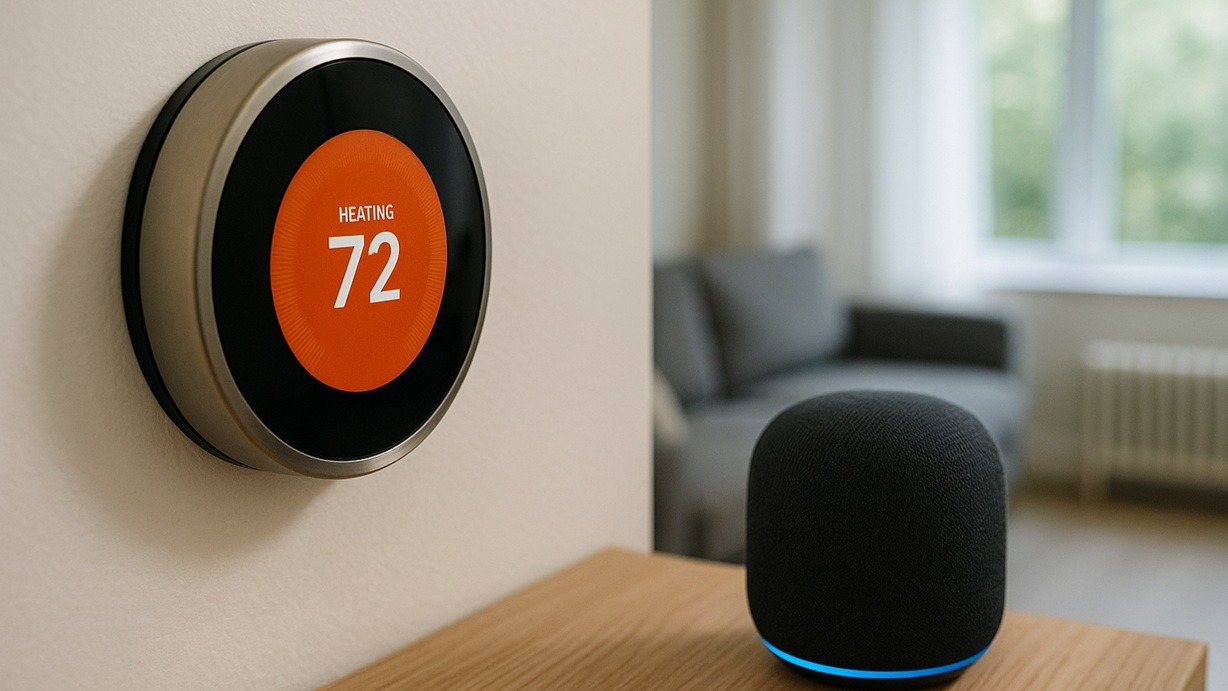
That smart speaker on the kitchen counter can do a lot more than just play music or check the weather. You can connect it to your heating system and manage the warmth of your property with simple voice commands.
Hooking up your central heating to Amazon Alexa or Google Assistant isn't just a gimmick for tech fans. It's a practical step that adds a real layer of convenience and control to a home. If you want to understand how Alexa heating integration works, or what's involved with Google Home heating control, you're in the right place. This is about making a heating system more intuitive, and it's one of the most useful upgrades you can make.
The Real-World Benefits of Voice Control
Forget the novelty factor for a second. Linking your heating to a voice assistant offers some solid advantages that genuinely make life easier.
Control Without Lifting a Finger
We've all been there, settled on the sofa, only to feel a chill. Instead of fumbling for a phone or getting up, you can just say, "Alexa, turn the heating up a degree." It’s these small, hands-free adjustments that add up to a big win for convenience.
Quick Comfort Adjustments
Sometimes you just need a quick, temporary change. Voice control is perfect for this. Woken up early on a freezing morning? Ask for a quick heat boost before the schedule kicks in. It’s an instant response when you need it.
A Real Help for Accessibility
For anyone with mobility issues, voice control is a game-changer. Adjusting the heating without needing to reach a thermostat or use an app provides a huge boost in independence and comfort. In these cases, Alexa heating integration and Google Home heating control are essential tools.
Building Smart Home Routines
This is where the technology gets really clever. Both platforms let you create 'Routines' that trigger multiple actions with one command.
- "Alexa, good morning": Could turn on the lights, give you the news, and bring the heating up to your usual daytime temperature.
- "Hey Google, I'm leaving": Could switch everything off, lock the doors, and knock the heating back to a low-energy 'Away' mode.
How Your Voice Actually Talks to the Boiler
A lot of people think the smart speaker talks directly to the boiler, but that's not how it works. The whole process depends on one crucial piece of kit: your smart thermostat.
The Smart Thermostat is the Middleman
Think of the smart thermostat as the translator. Your voice assistant speaks one language (commands over the internet), and your boiler speaks another (simple on/off signals). The thermostat, which is connected to your Wi-Fi, gets the command from the cloud and tells the boiler what to do. A stable Wi-Fi signal is the vital link that makes this all possible.
Compatibility is Everything
You can't just use any smart thermostat. Before you buy anything, you have to check if it's compatible with Alexa or Google Home. Trying to force an incompatible unit to work will just lead to headaches and callbacks. Top brands like Honeywell usually have great integration, but always double-check the specific model.
Getting It All Connected: A Quick Guide
The exact steps change a bit from brand to brand, but the basic process is the same.
- Get Your Gear Ready: Make sure you have a compatible smart thermostat installed and working, an Amazon Echo or Google Nest device, and the right app on your phone.
- Link the Accounts: You have to introduce the two systems to each other. In the Alexa app, you'll enable the 'Skill' for your thermostat brand. In the Google Home app, you'll add it as a device that 'Works with Google'. You'll need to log in to your thermostat account to approve the link.
- Find the Device: After you link the accounts, tell the app to scan for new devices. Your thermostat should pop up.
- Give It a Simple Name: Rename the thermostat to something easy to say, like "Heating" or "Downstairs". It makes the voice commands feel much more natural.
A Case on Site: When Voice Control Made a Real Difference
I remember a job for an elderly woman who was struggling to manage her heating. The thermostat was in a cold hallway she found hard to get to, and using a smartphone was difficult for her. We fitted a compatible smart thermostat and put a couple of smart speakers in her main rooms.
The difference it made was huge. She could ask for the heat to be turned up from her armchair. We set up a "good morning" routine that warmed the house before her carers arrived. For her, Alexa heating integration wasn't a gadget; it was a tool that gave her back control and comfort.
Common Voice Commands You'll Actually Use
Once it's set up, using it is easy. The phrasing is usually flexible.
Temperature Changes
- "Alexa, set the heating to 20 degrees."
- "Hey Google, raise the temperature by 2 degrees."
Checking the Status
- "Alexa, what's the temperature downstairs?"
- "Hey Google, what's the thermostat set to?"
Turning It On or Off
- "Hey Google, turn off the heating."
- "Alexa, set heating to Eco mode." (This depends on your thermostat having a mode the assistant can recognise).
Getting a Home Ready for Voice Control
The smart thermostat is the brain, but it can't work miracles. For voice control to be effective, the whole heating system needs to be in good nick. Smart controls can't fix a failing system.
That means the boiler needs to be serviced, radiators bled, and pumps from brands like Grundfos need to be running efficiently. The system relies on good quality parts, from hot water cylinders made by companies like Gledhill to valves from specialists like Danfoss. At Heating and Plumbing World, you'll find the full range of these essential components.
Let Your Voice Be Your Thermostat
Integrating your heating with Alexa or Google Home turns a smart thermostat into a truly seamless part of a connected home. It delivers a major upgrade in convenience and accessibility, all managed by your voice. The setup requires the right gear, but the reward in effortless comfort is well worth it.
If you have any questions about picking the right smart thermostat, please get in touch with our team.