
 -
- PCB Firmware Updates: Firmware vs Hardware Replacement Decisions
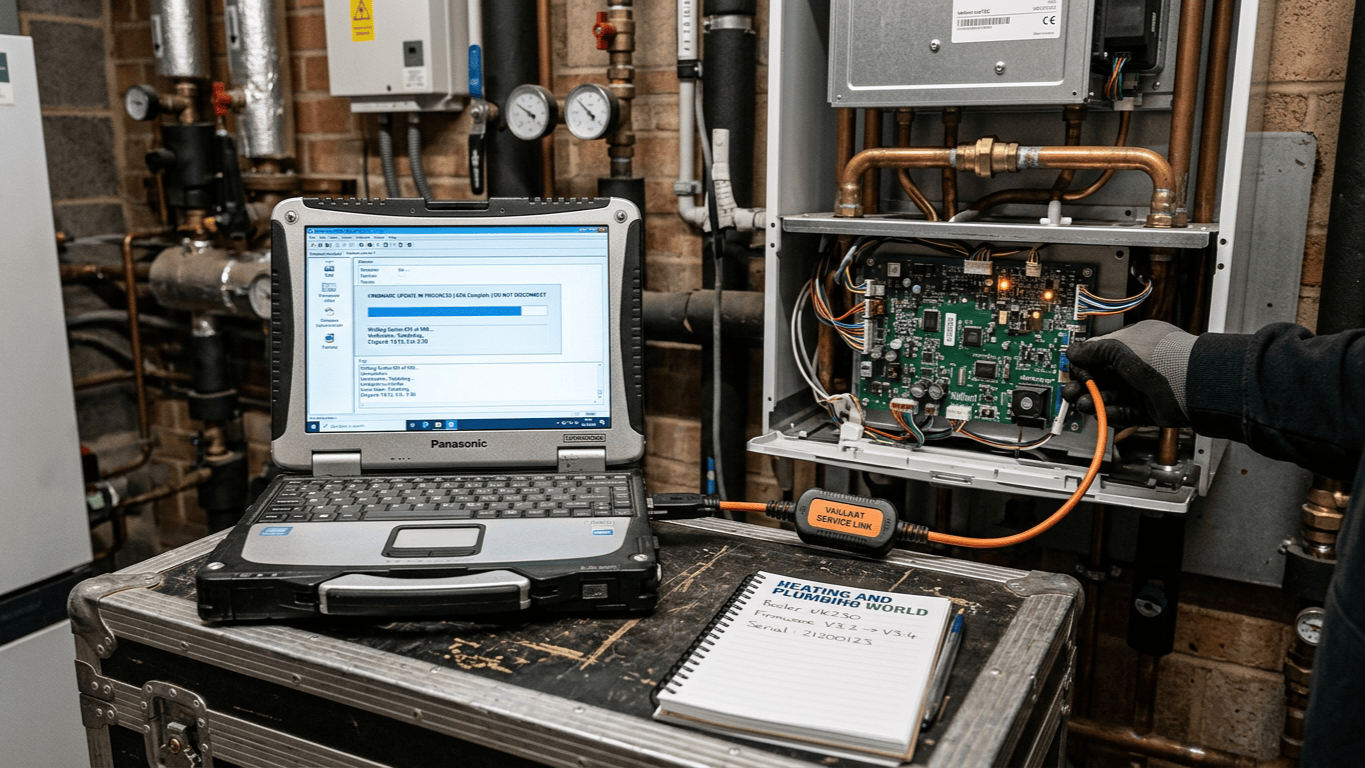
Your HVAC system's PCB just threw an error code. Consequently, the technician says you have two options: a firmware update or a complete board replacement. One costs you a couple of hundred pounds and an hour of downtime. However, the other involves several thousand pounds and a full day without climate control.
I've watched businesses make the wrong call on this decision more times than I can count. For instance, a property manager once spent £4,000 replacing a perfectly good board. This happened because nobody told him a £200 update would've fixed his zone control issue. On the flip side, I've seen operations teams waste weeks trying to patch boards that were fundamentally obsolete.
The truth is, most people don't understand what firmware actually does or when it stops being the answer. They often treat PCBs like black boxes, meaning either they work or they don't. But the reality is far more nuanced. Understanding these PCB firmware updates saves serious money over the long term.
What Firmware Actually Does In HVAC Systems
Think of firmware as the permanent instruction manual your PCB follows. It is software embedded in the board's memory. This code tells every component when to fire and how to respond to sensor inputs. Furthermore, it dictates exactly what to do when something goes wrong.
At Heating and Plumbing World, we see increasingly sophisticated logic in modern systems. A typical commercial Worcester boiler fan assembly might rely on complex zone control algorithms to balance airflow across 20 spaces. Manufacturers also use energy optimisation routines to adjust compressor cycling based on load.
When manufacturers discover bugs or improve these algorithms, they release PCB firmware updates. Your board's hardware stays the same, but the logic changes completely. Modern HVAC control boards also utilise diagnostic protocols that log fault conditions and performance data for technicians to review later.
When Firmware Updates Solve Real Problems
PCB firmware updates shine in very specific scenarios. I've seen them fix persistent issues that looked like hardware failures. Often, these are actually logic errors in how the board processes incoming information.
Communication errors between the board and external devices often resolve with a simple patch. If your board suddenly can't talk to a new BMS, there's a good chance the manufacturer released a fix. The hardware can physically communicate; it just needs updated instructions on how to format the data.
Performance drift also stems from outdated zone control algorithms. A board that worked perfectly for years might start short-cycling because building usage patterns changed. Updated firmware using adaptive algorithms can restore proper operation without touching a single physical component.
Compatibility issues are the most common fix. For example, if you've added an upgraded Worcester temperature sensor, the old firmware might not recognise it. The hardware can handle the inputs, but the software doesn't know what to do with them.
One facility manager I worked with was ready to scrap eight control boards. The symptoms looked terminal, featuring erratic temperature swings and random shutdowns. However, the manufacturer had released a patch that refined the zone control algorithms. Two hours of updates later, the system ran better than it had in years.
The Hard Limits Of Software Solutions
Think of firmware like a GPS app on your phone. You can update the maps to find new routes, but the software can't fix a shattered screen or a dead battery. Similarly, PCB firmware updates aren't magic. They can't overcome physical limitations or component degradation.
If your board has actual hardware damage, no amount of code will fix that. I've watched technicians spend hours attempting recovery on HVAC control boards with visible burn marks. The processor might boot, but damaged circuits won't suddenly heal because you updated the software.
Processing power is also fixed. An older board with a basic microcontroller can't suddenly handle energy optimisation routines that require more computational grunt. If the hardware can't execute the instructions, you're out of luck. Furthermore, sensor accuracy and relay response times are hardware characteristics. If your readings are drifting, that's a physical problem.
The most frustrating situations involve obsolete HVAC control boards that manufacturers no longer support. The firmware might be buggy, but if the company stopped releasing updates, you're stuck. You can't write your own firmware for proprietary boards, as it requires guarded source code.
Calculating The True Cost Of Each Option
The sticker price rarely tells the full story. A firmware update might cost £150-300 for the service call. However, you must also factor in the diagnosis time. If the technician spends three hours troubleshooting only to discover a patch won't fix it, you still pay for that time.
Board replacement costs vary wildly. A basic residential PCB might run £400-800 including labour. Conversely, commercial boards can cost £2,000-6,000. When installing a new wireless combi pack, you must also verify if the new board is compatible with your existing sensors.
I watched a facilities team debate this decision for a critical server room unit. The update was cheap, but a new board was £3,200 with a four-day lead time. They chose to attempt PCB firmware updates first, and it worked perfectly. But they also had a backup plan. They ordered the replacement board with next-day shipping as insurance, returning it once the firmware succeeded.
Reading The Warning Signs That Point To Hardware
Certain symptoms scream hardware failure. Experienced technicians usually recognise them instantly. Intermittent operation that worsens over time typically indicates component degradation. If your board works fine when cool but fails after an hour, that's thermal stress.
Firmware doesn't overheat, but capacitors and voltage regulators certainly do. Physical damage is also obvious but often overlooked during a quick check. Always look for:
- Discoloured or bulging capacitors.
- Burn marks around power supply components.
- Corrosion on circuit traces or connectors.
- Cracked solder joints around larger components.
Voltage irregularities point to power supply failure on the board. If you're seeing fluctuating readings from sensors that should be stable, the regulation circuits are likely failing. Complete non-responsiveness suggests processor or memory failure. If the board won't even attempt to boot, PCB firmware updates can't help because the hardware can't run the code.
The Diagnostic Process That Saves Money
Smart facilities teams follow a systematic approach before committing to any solution. Start with error code analysis. Modern boards log fault conditions using diagnostic protocols with timestamps. Pull the history and look for patterns. Single glitches might be resolved by a patch, but repeated errors under load suggest deeper issues.
Check manufacturer bulletins. HVAC companies publish technical bulletins when they discover widespread issues. If your board model has a known bug, you've got your answer. These bulletins often include the specific version that fixes the issue.
Verify hardware integrity with basic testing. A qualified technician should measure supply voltage and test relay operation. They should also check sensor inputs and inspect a Worcester boiler heat exchanger for related performance issues. The most cost-effective approach is to request a firmware attempt first. Most technicians will apply the update cost toward replacement labour if it fails.
On a recent commercial project, a technician spent four hours trying to force a logic update onto a board with a cracked solder joint. Because he ignored the physical inspection, the client paid for the wasted labour and the inevitable board replacement. It was a classic case of hoping software could fix a physical break.
Future-Proofing Your HVAC Control Systems
The firmware versus replacement decision gets easier when you plan ahead. Document your current versions during regular maintenance. Keep a log of when each board was last updated. This makes troubleshooting faster and helps you track when HVAC control boards might need attention.
Subscribe to manufacturer notifications if they are available. Some manufacturers alert customers when critical PCB firmware updates are released. You'll know about fixes before problems actually occur. Budget for lifecycle replacement based on realistic timelines.
Most commercial boards have a 10-15 year service life. After that, component degradation accelerates. If you are installing a high-efficiency AIC Nesta wall-hung boiler, ensure the control interface is kept up to date. Maintaining spare boards for critical systems makes the debate moot. You install the spare immediately and diagnose the failed board without any pressure.
Making The Call Under Pressure
When your HVAC system fails during a heatwave, you don't have the luxury of long analysis. You need a decision framework that works under pressure. If the board is less than five years old and shows no physical damage, try PCB firmware updates first. The success rate is high enough to justify the attempt.
However, if the board is over ten years old, you should replace it. Even if a patch fixes the immediate issue, you're likely facing repeated problems as other components age. If you're dealing with a critical system where downtime costs are extreme, replacement is often the safer bet.
If multiple symptoms point to different failure modes, that's usually hardware degradation. Firmware addresses specific logic issues, not systemic physical problems. Modern systems use adaptive algorithms to hide minor errors, but they can't mask total failure.
Conclusion
The firmware versus hardware decision isn't just about technology. It's about risk management and cost optimisation. PCB firmware updates offer low-cost fixes for specific software-based problems. Hardware replacement provides certainty when physical components fail.
The worst decision is no decision at all. Delaying action while you debate options costs money in inefficient operation and potential secondary damage. The best approach combines systematic diagnosis with a clear understanding of your board's condition and age.
A five-year-old board with a known bug? Update it. A twelve-year-old board with visible damage? Replace it. Most situations fall somewhere in between, which is why working with knowledgeable technicians matters. If you need help diagnosing a persistent error code or selecting a replacement board, contact our technical team for professional guidance.