

Serial Number Details at Checkout for Boiler Spare Orders
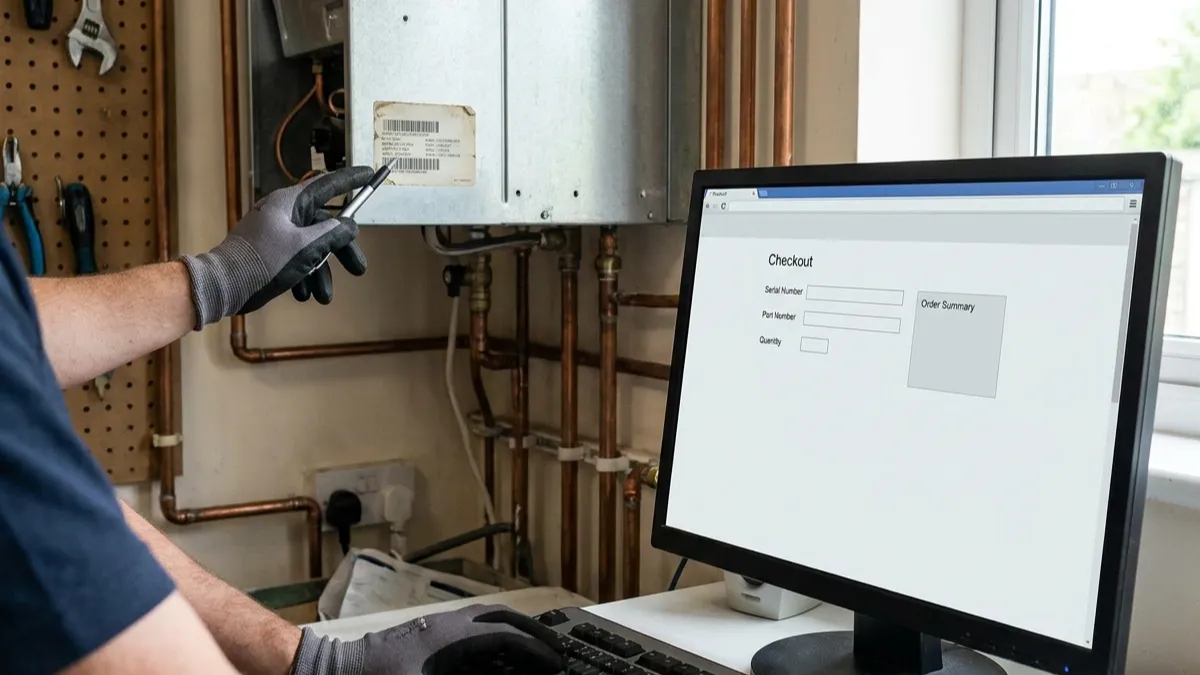
Once the correct boiler has been identified, the serial number still needs to be entered correctly when placing the spare order. Use the serial associated with the appliance being ordered for, not a value copied from another order or saved basket.
If the ordering system has a dedicated serial field, enter the complete serial there. If it does not, place the serial clearly in the order notes where the ordering process allows additional information.
A wrong serial can create confusion when serial information is used to check spare compatibility. The safest approach is simple: copy the serial, check the characters, then check the completed order before submission.
Enter The Serial In The Correct Field
The serial number and spare part number serve different purposes.
The serial identifies the appliance. The part number identifies the component being ordered.
If the ordering system provides separate fields, keep the two values separate. Do not enter the boiler serial into the part-number field or replace a required part number with the serial.
Boiler spares can require different identification details depending on the product. The same applies when ordering through Baxi boiler spares.
If there is no dedicated serial field, put it clearly in the order notes where possible rather than leaving it buried in a longer job description. The spares order should keep the serial easy to identify alongside the other order information.
Use The Full Serial
Enter the complete serial as provided.
Do not shorten it because the field looks too small. Do not remove a prefix or suffix because it appears separate from the main number.
If the ordering system will not accept the full value, keep the complete serial in the order notes where possible and explain the limitation rather than silently removing characters.
Check Each Character Before Submission
Serial numbers are easy to mistype because they often contain a mixture of letters and numbers.
Common character swaps include:
- O and 0
- I and 1
- S and 5
- B and 8
Read the serial while entering it rather than typing from memory.
After entering it, compare the value on screen with the original serial character by character.
Do Not Guess Unclear Characters
If one character cannot be confirmed, do not choose the most likely option.
Record the confirmed characters and identify the unclear section. A partial but accurate serial is preferable to a complete serial containing a guessed character.
If the missing character can be confirmed before the order is submitted, update the information before continuing.
Keep Prefixes And Suffixes
Some serials contain letters before or after the main number sequence.
Do not remove them because they look like an additional code. Unless the manufacturer or ordering system specifically instructs you to omit them, retain the serial as shown.
A shortened serial can remove information that may be relevant to identifying the appliance or checking compatibility.
Check The Order Before Submission
Do not treat the serial as finished as soon as it has been typed.
Before submitting the order, check:
- The serial is in the correct field or order notes.
- The complete confirmed value is present.
- No characters have been changed.
- The make and model information remains correct.
- The intended spare is in the basket.
- No old serial has been inserted automatically.
This final check is particularly important when the same website or account is used for several orders.
Saved Baskets Can Hold Old Serial Numbers
A saved basket can contain information from a previous order.
The make and model may still look correct, while the serial belongs to another appliance.
Open the serial information every time a saved basket or draft is reused. Compare the value with the serial for the current order before proceeding.
Do not assume that a completed-looking basket contains current information.
Check Autofill And Browser Data
Browsers can remember previously entered values. An autocomplete suggestion can also insert an old serial without making the error obvious.
If a serial appears automatically, check it against the serial for the current order before accepting the value.
The fact that the number is valid does not mean it belongs to the current appliance.
Previous Orders Are References, Not Templates
Previous spare orders can be useful when placing repeat orders, but their serial numbers should not be copied without checking.
A previous order records what was entered for an earlier transaction. It does not automatically belong to the next order.
If you keep an internal record of repeat spare purchases, useful fields include:
- Serial number
- Spare part number
- Order date
- Order reference
Use that information to find the previous transaction, then verify the serial before copying it into a new order.
Be Careful With Shared Accounts
Shared customer accounts can contain several open baskets, drafts or previous orders.
The correct customer account does not prove that the serial in the basket is correct.
Check the serial attached to the current order rather than relying on the account history.
This is especially important when several boilers are being serviced for the same customer or site.
Avoid Serial Numbers From Other Sources
A serial can appear in several places during an order. Not all of those numbers identify the appliance.
Do not use:
- A neighbouring appliance's serial
- A previous boiler's serial
- A spreadsheet value that has not been checked
- A job reference
- A spare's serial number
- A component batch number
- A number copied from memory
If an external record is being used, confirm that it belongs to the current appliance before entering it into the order.
What If The Serial Is Missing?
If the serial cannot be confirmed, record serial missing rather than inventing one.
Do not substitute a serial from another appliance just to complete an order.
If the ordering system requires a serial before the order can continue, flag the missing information rather than entering a number that has not been verified.
A blank or clearly marked missing value is easier to resolve than an incorrect value that appears legitimate.
What If Only Part Of The Serial Is Available?
Record only the characters that can be confirmed where the ordering process allows this.
For example:
Serial: ABC12[unreadable]789
Do not fill the gap with a character that seems likely.
If the ordering system requires the full serial, keep the confirmed information in the order notes where possible and flag the incomplete value before relying on it for compatibility.
What If The Ordering System Rejects The Serial?
An ordering system may reject a serial because of field length, formatting or validation rules.
Do not solve the problem by deleting random characters.
Instead:
- Keep the full serial recorded in the order notes where possible.
- Check whether the ordering system has instructions for the field.
- Enter the value in the format the system requires.
- Make clear when the field could not accept the complete serial.
- Confirm the full serial before submitting the order.
If a serial contains spaces or separators, follow the accepted format rather than changing the actual characters.
Do Not Split A Serial Without Instructions
Some serials contain groups of letters and numbers that can look like separate codes.
Do not split them into date, factory, batch and serial fields unless the manufacturer or ordering system specifically identifies those as separate values.
If the manufacturer provides the complete sequence as one serial, retain it as one serial when entering the order.
Review The Order Immediately Before Submission
The final order review should focus on the values that will actually be used to process the spare.
Serial Check
Confirm that the serial:
- Belongs to the current order
- Is in the correct field or order notes
- Contains the complete confirmed value
- Has the correct letters and numbers
- Has not been shortened without instruction
- Has not been replaced by an autofill value
Basket Check
Then confirm that the selected spare is the intended component and that no previous basket item has remained in the order.
A correct serial does not fix an old spare left in a saved basket.
Repeat Orders Need A Fresh Serial Check
Repeat customers can save time by keeping previous order information, but every new order still needs a serial check.
The process is:
- Open the previous order if it is needed for reference.
- Start the new order.
- Enter the serial for the current appliance.
- Compare the completed value with the confirmed serial.
- Check the spare and quantity.
- Submit only after the current details match.
Do not copy an entire previous basket simply because the same type of spare is required again.
The old part number may be useful. The old serial is still tied to the previous order.
FAQ
Where should I enter the boiler serial?
Use the dedicated serial field when the ordering system provides one. If there is no serial field, put the complete serial clearly in the order notes where the ordering process allows additional information.
Can I put the serial in the part-number field?
No. The serial identifies the appliance, while the part number identifies the spare.
Can I copy the serial from a previous order?
Only as a reference. Check that the serial belongs to the current appliance before submitting the new order.
What if the serial is missing?
Record serial missing. Do not substitute a number from another boiler or previous order.
What if I cannot read one character?
Do not guess it. Record the confirmed characters and flag the unclear section so it can be verified before relying on the serial.
What if the ordering field is too short?
Keep the complete serial in the order notes where possible and follow the ordering system's formatting instructions. Do not silently remove characters.
Can I use a serial from a spreadsheet?
Only after confirming that the entry belongs to the current appliance. Spreadsheets can contain old or mismatched records.
What if autofill enters a serial automatically?
Check it against the serial for the current appliance before accepting or submitting the value.
What if the serial contains letters and numbers that look like separate codes?
Keep the complete serial together unless the manufacturer or ordering system explicitly defines separate fields.
Conclusion
The serial number should be treated as an order value that needs to be entered and verified, not as another piece of information to copy into any available field.
Use the complete serial in the correct field or order notes, check every character, review saved or autofilled information and verify the basket before submitting the order.
If the serial is missing, incomplete or rejected by the ordering system, record the limitation clearly rather than guessing or substituting another number. If the order details still cannot be confirmed, contact us before relying on the information for the order.