

Troubleshooting Connectivity Issues with Smart Heating Systems
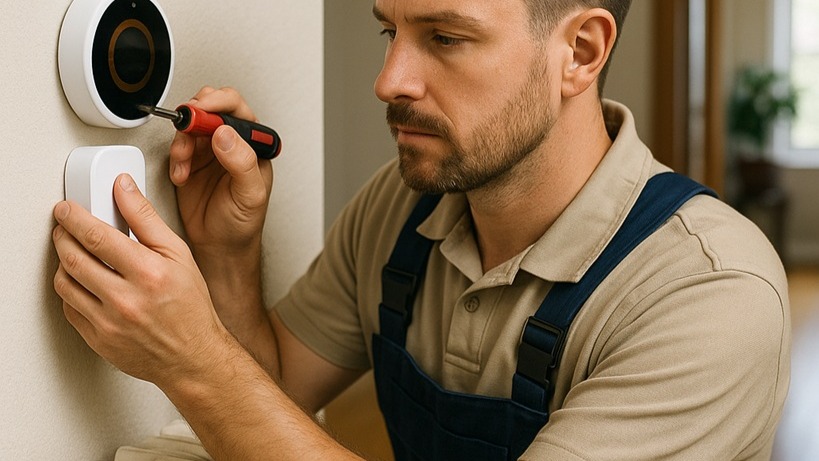
Smart heating systems have transformed the way heating engineers, facilities managers, and even advanced DIY installers approach efficiency and comfort. Remote access, automatic scheduling, and integration with wider building management systems have moved heating control from basic time switches to intelligent, responsive platforms.
However, when these systems lose connection, that same technology can quickly become a liability. For an engineer on a commercial site, a “Device Offline” message on a smart thermostat isn’t just a nuisance; it could mean cold classrooms in the morning, an office block with disrupted HVAC balance, or a client phoning in an emergency. Troubleshooting connectivity issues effectively is now as essential a skill as understanding system hydraulics or boiler commissioning.
This in-depth guide explores the full connectivity chain, offering trade professionals a structured process to diagnose faults, restore communication, and ensure long-term reliability. Along the way, we’ll examine practical scenarios, reference real products from brands like Honeywell, Grundfos, Danfoss, and Stuart Turner, and outline when to escalate from basic checks to professional interventions.
Understanding the Connection Chain in Smart Heating Systems
Every smart heating system relies on a communication chain. Think of it as a series of valves in a pipe run: if one valve sticks shut, flow stops across the whole line. Connectivity is no different.
A typical smart heating setup may include:
- Smart device – the thermostat or smart radiator valve (TRV).
- Hub or bridge – acts as the link between devices (often Zigbee or Z-Wave) and the router.
- Wi-Fi router – connects the hub or device to the internet.
- Internet provider link – ensures connection to the wider cloud.
- Manufacturer’s cloud servers – where data and commands are processed.
- Smartphone app – provides the user interface for monitoring and control.
If communication breaks at any point in this chain, the system appears offline. Troubleshooting connectivity issues, therefore, requires systematic testing of each stage, just as you would check pipework segment by segment when chasing a pressure drop.
Step One: The Value of a Simple Restart
Engineers sometimes scoff at the classic IT fix, but it solves an astonishing number of site callouts. Restarting devices clears temporary faults and forces a reconnection handshake.
Practical restart checks include:
- Restart the smartphone or the control device app.
- Power-cycle the thermostat or hub (using fused spur isolation if required).
- Reboot the Wi-Fi router; it's a frequent culprit after broadband glitches.
- Verify power supply; check fused spurs, plugs, and displays.
Anecdote: On a recent commercial site with multiple Honeywell Home thermostats, the BMS reported “offline” devices in two zones. Before diving into complex diagnostics, a simple router reboot restored all connectivity. The router had locked up after a brief power dip, leaving the hub unable to reconnect. The lesson: start simple before overcomplicating.
Step Two: Wi-Fi; The Usual Suspect
For most engineers, Wi-Fi is now as important as pipework insulation. Weak or unstable Wi-Fi accounts for the majority of smart heating failures.
Checks to carry out:
- Confirm internet is active by testing on another device.
- Check router placement: older UK housing stock with thick stone or brick walls often creates dead zones.
- Confirm device is connected to 2.4GHz, not just 5GHz (critical for compatibility with many smart controls).
- Verify if Wi-Fi credentials have changed; a new router or password update will break links.
- Consider device overload; budget routers may struggle when managing 20+ devices.
Analogy: Treat Wi-Fi like water pressure. Good supply at the mains (the router) doesn’t always mean flow reaches the top-floor radiator (smart TRV). Restrictions, distance, and competing demands all reduce performance. Extenders or mesh systems act like secondary pumps, boosting supply into distant zones.
Pro tip for engineers: Always recommend clients invest in a modern mesh Wi-Fi setup if their home or office has patchy coverage. It prevents repeat callouts and customer dissatisfaction.
Step Three: Thermostat-Specific Connectivity Checks
Smart thermostats themselves often include diagnostic menus. Encourage clients, or use yourself during commissioning, to check network status, firmware updates, and error logs.
Key troubleshooting points:
- Inspect Wi-Fi signal status via the thermostat menu.
- Attempt manual reconnection to Wi-Fi.
- Relocate away from interference sources (baby monitors, cordless phones, microwaves).
- Apply firmware updates when prompted.
Brand insight:
- Honeywell Home models provide a network test menu.
- Danfoss systems offer detailed signal strength readings in-app.
If connectivity remains unstable, engineers should consider whether system firmware updates are being blocked by poor internet access, a surprisingly common cause of repeat dropouts.
Step Four: Smart Radiator Connectivity Repair
When thermostats stay online but TRVs drop offline, focus shifts to valve-level issues. Engineers must treat this as smart radiator connectivity repair.
Checks include:
- Battery status – TRVs rely on AA/AAA cells. Low batteries are the number-one culprit.
- Range limitations – Zigbee and Z-Wave protocols typically cover 10–30m indoors, further reduced by walls. Relocating the hub can resolve this.
- Re-pairing the valve – follow manufacturer's instructions for reconnecting.
- Physical valve condition – a stuck pin under the actuator head can mimic a comms fault. Gently free it to restore proper operation.
Practical example: A set of Danfoss TRVs in a Victorian terraced property repeatedly showed offline. Investigation revealed the hub was installed at one end of the property beside the router, while valves at the far end were out of range. Relocating the hub centrally resolved the issue permanently.
Product interlinking: When replacing TRVs or actuators, Heating and Plumbing World offers Altecnic Ltd expansion vessels, Myson radiator solutions, and reliable fittings that integrate with smart controls.
Step Five: Hub and Bridge Checks
For systems using hubs (common with Drayton Wiser or Honeywell Evohome), the bridge is often the linchpin of communication.
Engineer’s checklist:
- Inspect status lights (power, internet, device link).
- Confirm Ethernet connections if applicable.
- Reboot the hub independently of the router.
- Replace faulty Ethernet cables.
Brand-specific considerations:
- Grundfos Alpha pumps sometimes integrate with smart control hubs; poor hub connectivity may appear to be a pump fault.
- Lowara circulation systems require reliable communications to integrate properly with building management controls.
Step Six: App and Cloud-Based Issues
Even when the home setup is sound, outages at the manufacturer’s servers can disable systems.
Professional steps:
- Check app version; outdated apps cause miscommunication.
- Review manufacturer status pages (e.g., Honeywell Home system status).
- Verify user credentials (password updates often lock users out).
- Try reinstalling the app to clear corrupted cache data.
Pro tip: Always encourage clients to set up email or SMS alerts for manufacturer downtime, reducing unnecessary site visits.
Step Seven: Escalation and Professional Support
If step-by-step troubleshooting fails, escalation is necessary:
- Consult manufacturer support – brands like Honeywell, Danfoss, and Morco offer dedicated technical lines.
- Professional engineer visit – especially when wiring, boiler interfaces, or physical valve faults are suspected.
- System-wide review – persistent dropouts may indicate deeper issues: undersized routers, interference-heavy environments, or boiler control miswiring.
Interlinked product relevance: Persistent system issues may also be traced to hardware failures. Replacement or upgraded solutions are available through:
- Grundfos pumps – Grundfos brand
- Kingspan cylinders – Kingspan brand
- Stuart Turner MainsBoost systems – Stuart Turner
Step Eight: Preventive Maintenance and Best Practice
Connectivity stability isn’t only about fixing faults; it’s about preventing them.
Best practices for engineers and facilities teams:
- Stable Wi-Fi infrastructure – recommend mesh networks in larger properties.
- Proactive battery management – change TRV batteries annually on a planned schedule.
- Software vigilance – keep firmware and apps up to date.
- Documentation – record Wi-Fi details in the O&M manuals you leave with clients.
- Network audits – check the number of devices competing for bandwidth.
Conclusion: Troubleshooting Connectivity Issues Methodically
Troubleshooting connectivity issues in smart heating systems is a structured process, not a guessing game. Start with simple restarts, confirm Wi-Fi stability, check thermostat status, and move logically down to TRVs, hubs, and cloud connections.
By following a clear sequence, engineers can avoid unnecessary callouts, keep clients satisfied, and ensure smart heating technology delivers its intended efficiency benefits.
And when smart radiator valves fail? Remember that smart radiator connectivity repair often comes down to something as straightforward as fresh batteries, correct hub placement, or re-pairing.
Final Call to Action
For reliable spares, smart heating components, and replacement parts, explore the full range available at Heating and Plumbing World. If you need help sourcing compatible controls, pumps, or valves, don’t hesitate to get in touch with our team.